El PID 1 es tuyo
El agente es un hijo en segundo plano. Docker señaliza directamente a tu proceso, y su código de salida es el del contenedor.
FROM your-image                                    # unchanged
COPY --from=markolofsen/cmdop:latest /cmdop /usr/local/bin/cmdop
ENTRYPOINT ["cmdop", "sidecar", "--"]
CMD ["your-app", "--your", "flags"]                # unchanged
Tu imagen base y tu comando no cambian.
El plano de control llega con el contenedor en lugar de esperarlo en otro sitio.
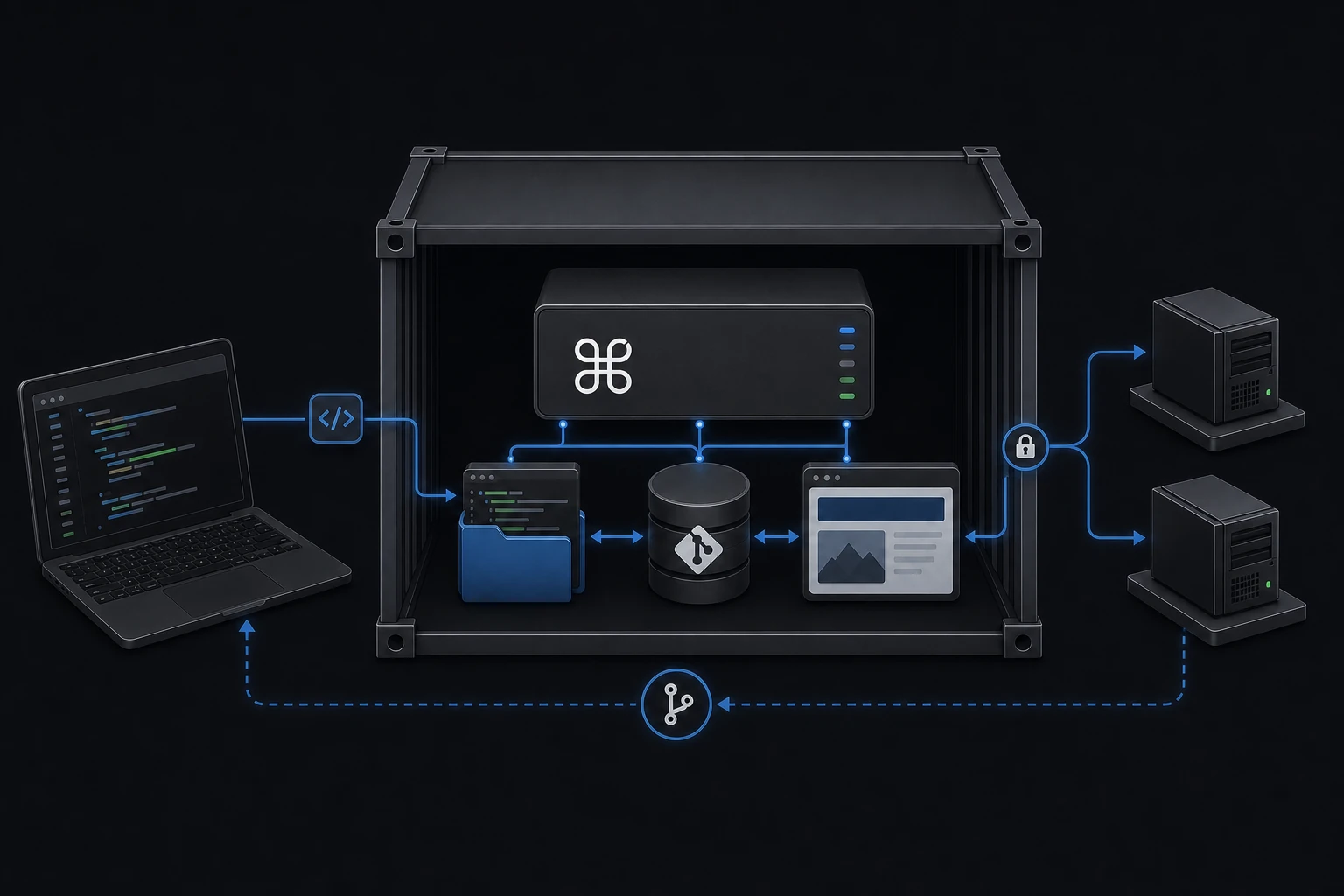
Copia un archivo en tu imagen. Ese mismo binario es el agente de máquina, el relay al que se unen otras máquinas, la consola del navegador, el host del terminal y el runtime de IA: todo depende de cómo lo invoques.
Un solo sistema de productos
Empieza con una máquina. Crece hasta una flota.
Un agente compartido en el host acumula el estado operativo de todos los contenedores, necesita acceso a cada uno y acaba siendo infraestructura por su cuenta. Un agente que viaja dentro de la imagen, no.
cmdop sidecar arranca el agente en segundo plano y luego hace exec de tu comando. Tu aplicación pasa a ser PID 1, así que docker stop, las señales, los códigos de salida y las políticas de reinicio se comportan igual que antes.
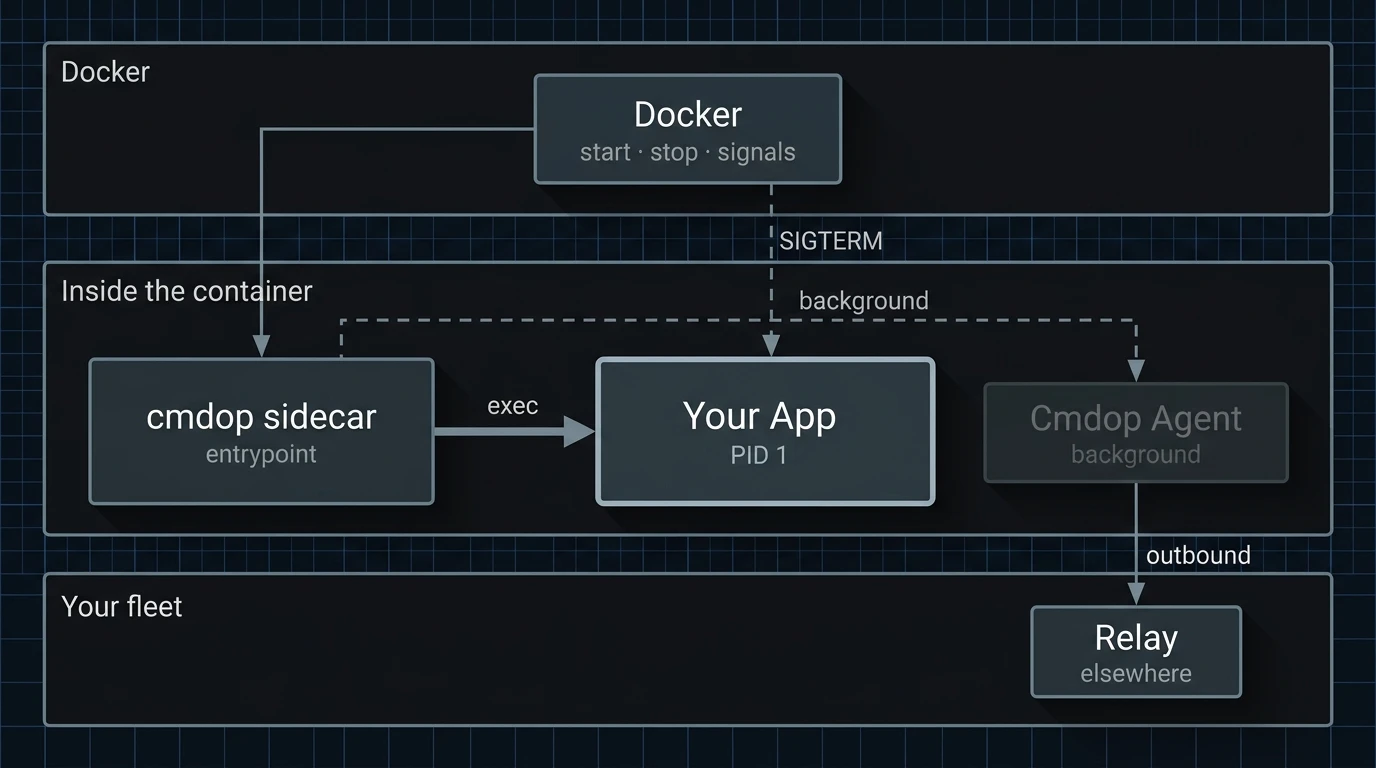
El agente es un hijo en segundo plano. Docker señaliza directamente a tu proceso, y su código de salida es el del contenedor.
Si el agente no arranca o no alcanza el relay, tu aplicación sigue funcionando. Sin un join key configurado, sidecar es un exec normal.
Es el contenedor quien llama al relay. No se abre ningún puerto de entrada ni hace falta ninguna regla de ingress.
El binario no enlaza libc, así que Alpine, Debian, distroless y scratch funcionan igual.
Abre una shell dentro del contenedor en marcha desde el navegador, la CLI o el móvil.
Lee, compara y edita los archivos del contenedor, limitado al directorio al que apuntes el agente.
Pide a un agente que inspeccione, cambie, ejecute o depure lo que hay dentro del contenedor.
Lanza comandos y reparte trabajo entre máquinas desde cualquier superficie de Cmdop.
La misma imagen corre en tu portátil, en Compose y allí donde ya ejecutas contenedores. Arranca quinientos y tendrás quinientos agentes independientes, porque la operabilidad es una propiedad de la imagen y no algo que despliegas a su lado.
Construye la imagen y pasa la dirección del relay y el join key como variables de entorno. La máquina aparece en tu flota al arrancar, y no hay nada más que configurar.
El repositorio público trae un Dockerfile de quince líneas sobre una app Node corriente: las variables, qué evita cada una y un contenedor que puedes arrancar ahora mismo.
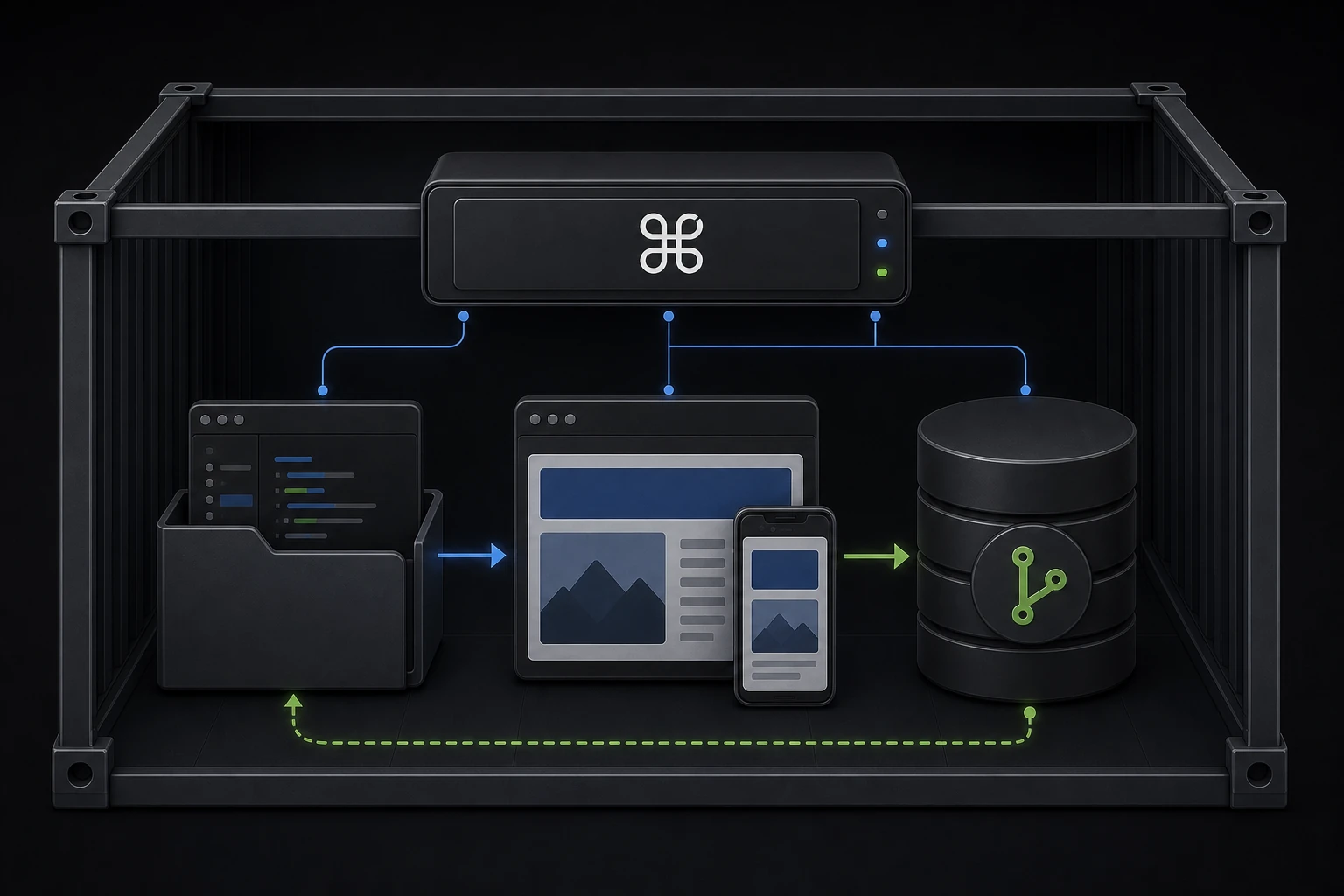
La demo pública es un montaje mayor a propósito: aloja su propio relay, monta un proyecto escribible y levanta un servidor de desarrollo, para que veas a un agente editar una aplicación real y dejar el cambio en el historial de Git.
Enseña lo que Cmdop puede hacer de principio a fin. Añadir el agente a un contenedor que ya es tuyo siguen siendo dos líneas.
Añade el binario a una imagen que ya distribuyes, o clona el ejemplo y observa cómo una máquina se une.