PID 1 is yours
The agent is a background child. Docker signals your process directly, and its exit code is the container's.
FROM your-image                                    # unchanged
COPY --from=markolofsen/cmdop:latest /cmdop /usr/local/bin/cmdop
ENTRYPOINT ["cmdop", "sidecar", "--"]
CMD ["your-app", "--your", "flags"]                # unchanged
Your base image and your command are unchanged.
The control plane arrives with the container instead of waiting for it somewhere else.
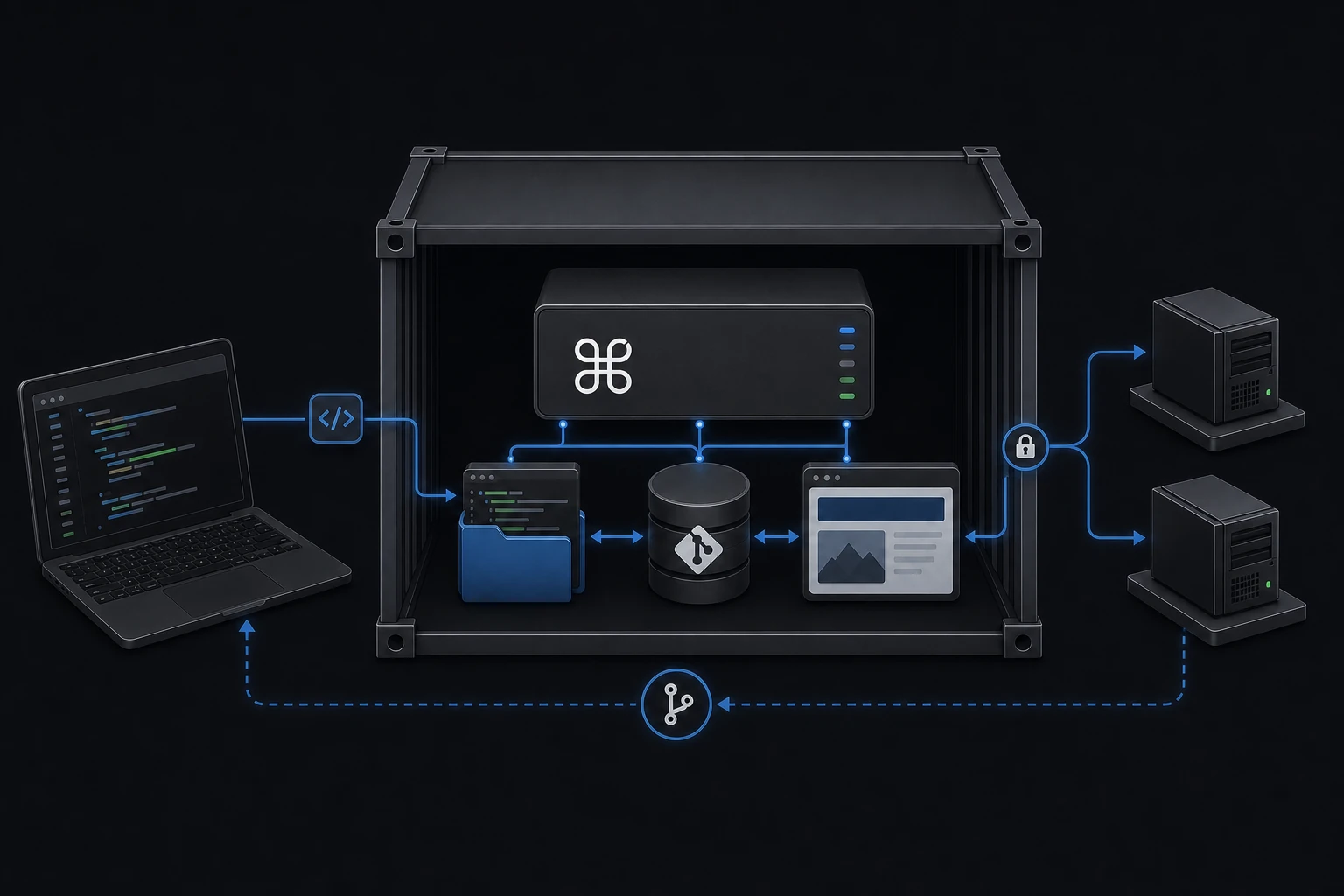
Copy one file into your image. That same binary is the machine agent, the relay other machines join, the browser console, the terminal host and the AI runtime — depending only on how you invoke it.
One product system
Start with one machine. Grow into a fleet.
One shared agent on the host accumulates every container's operational state, needs access to all of them, and becomes infrastructure of its own. An agent that ships inside the image does not.
cmdop sidecar starts the agent in the background, then execs your command. Your application becomes PID 1, so docker stop, signals, exit codes and restart policies behave exactly as they did before.
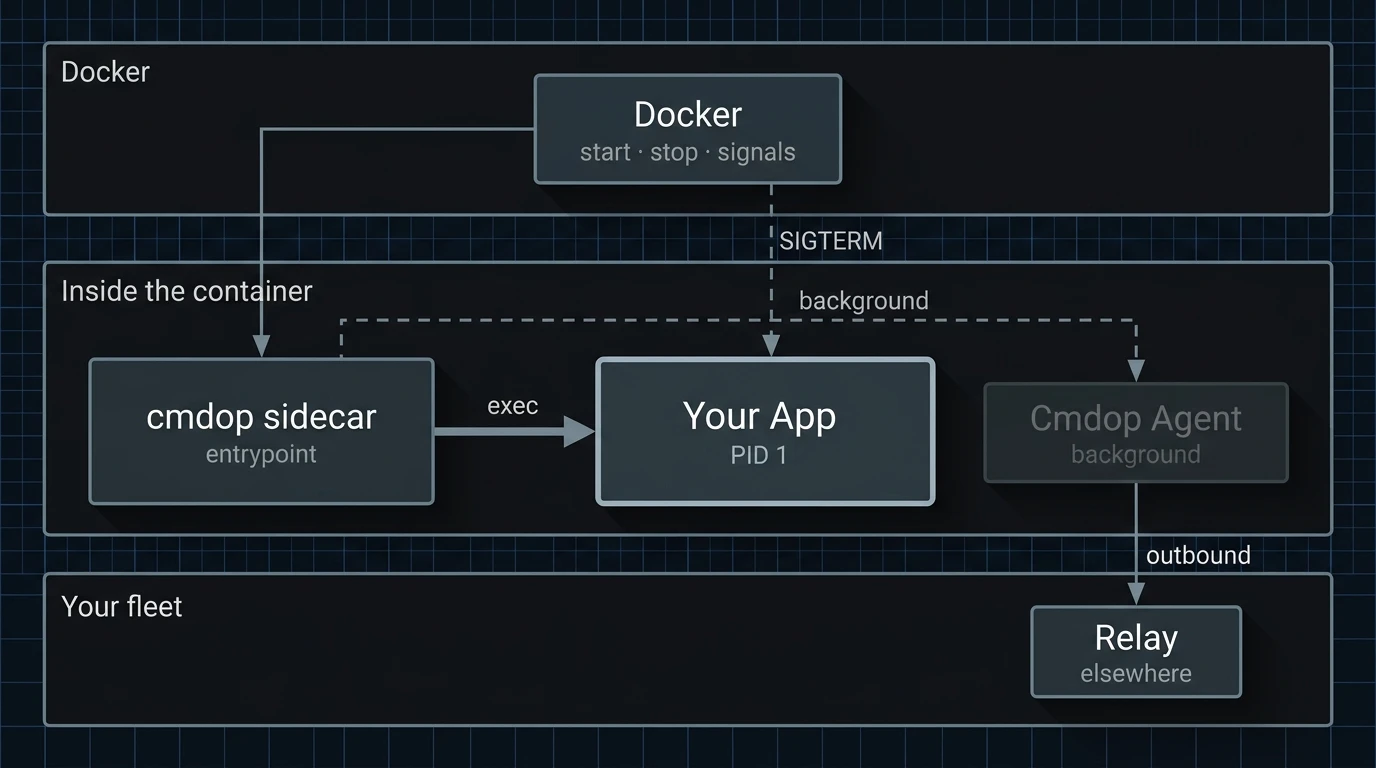
The agent is a background child. Docker signals your process directly, and its exit code is the container's.
If the agent cannot start or cannot reach the relay, your application keeps running. With no join key set, sidecar is a plain exec.
The container dials the relay. No inbound port is opened and no ingress rule is needed.
The binary links no libc, so Alpine, Debian, distroless and scratch all work.
Open a shell inside the running container from the browser, the CLI or your phone.
Read, diff and edit the files inside the container, scoped to the directory you point the agent at.
Ask an agent to inspect, change, run or debug what is inside the container.
Run commands and hand work between machines from any Cmdop surface.
The same image runs on your laptop, in Compose, and wherever else you already run containers. Start five hundred of them and you have five hundred independent agents, because manageability is a property of the image rather than something you deploy next to it.
Build the image and pass the relay address and join key as environment variables. The machine appears in your fleet on startup, and there is nothing else to configure.
The public repository carries a fifteen-line Dockerfile on an ordinary Node app — the variables, what each one prevents, and a container you can start right now.
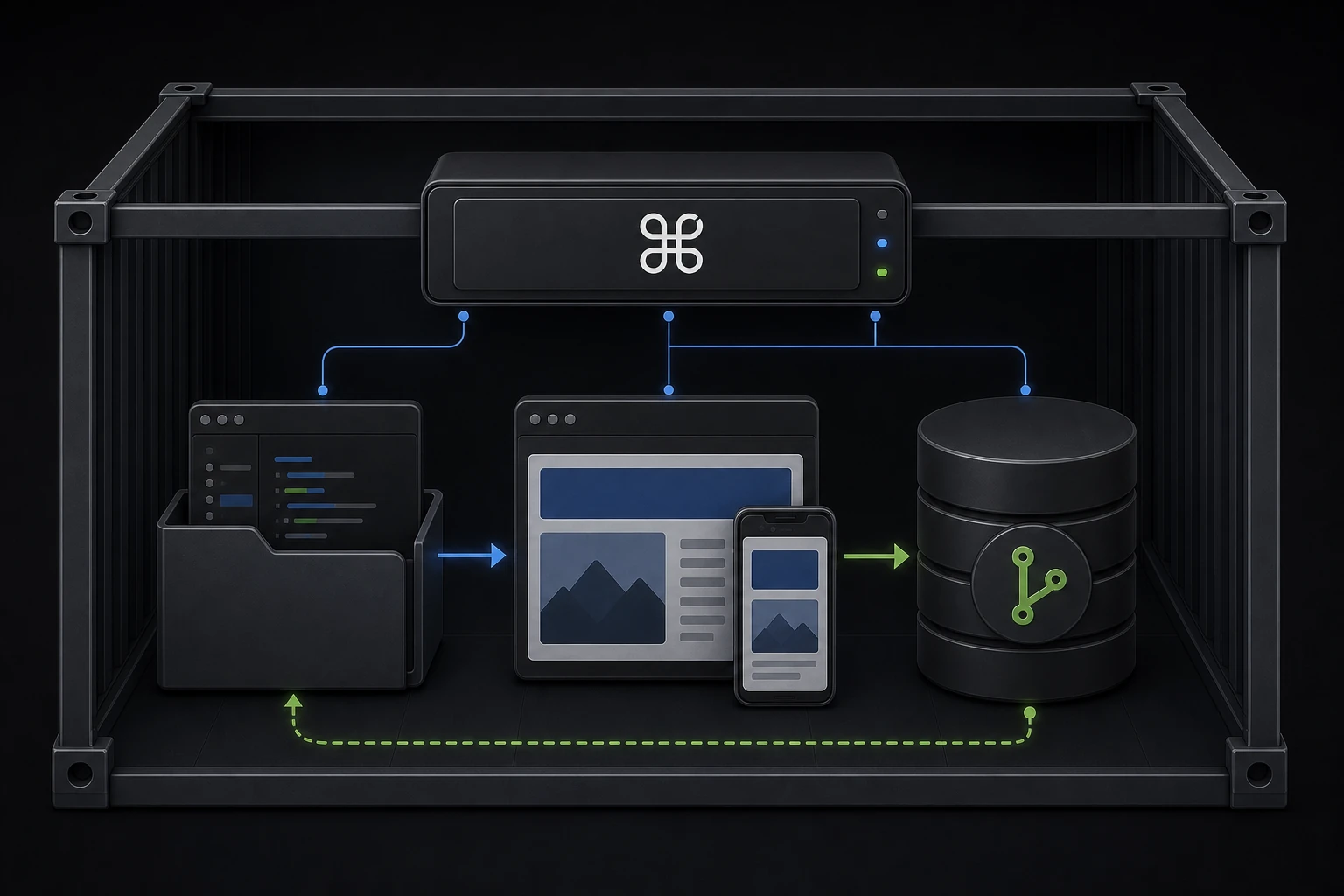
The public demo is a bigger arrangement on purpose: it hosts its own relay, mounts a writable project, and runs a dev server, so you can watch an agent edit a real application and land the change in Git history.
It shows what Cmdop can do end to end. Adding the agent to a container you already own stays two lines.
Add the binary to an image you already ship, or clone the example and watch a machine join.